

Wasel Chat
Customer conversations platform
Every customer. One inbox.
Reply from WhatsApp, Instagram, email and web chat — in real time, from anywhere.
Conversations
Live- Noura AlqahtaninowWill my order arrive today?2
- Khalid Alotaibi3mHow much is delivery to Riyadh?1
- Sara Almutairi8mThanks, that solved it 🙏
- Mohammed Alshehri21mQuote request for 20 users
- Reem Aldosari1hI'd like to change my booking
Noura Alqahtani
Keep every conversation in one place
Website, email, social and messaging — all in one queue for your team.
The full WhatsApp Business experience
Messages, media, voice notes and approved templates for outbound messages.
Email, threaded like a chat
Connect via forwarding or IMAP/SMTP — every reply stays in the same thread.
A website widget that looks like your brand
Colour, logo and texts — try it yourself in the builder below.
Open the builder →An open API for everything else
Connect any custom message source or internal system.
Every message in one place, every customer owned
Messages from every channel land in one list. Assign them to agents or teams, sort by priority and follow each one until it's resolved.
- Mine, Unassigned and All views
- Automatic round-robin assignment
- Priority, snooze and labels
- Live typing and read receipts
Conversations
Live- Noura AlqahtaninowWill my order arrive today?2
- Khalid Alotaibi3mHow much is delivery to Riyadh?1
- Sara Almutairi8mThanks, that solved it 🙏
- Mohammed Alshehri21mQuote request for 20 users
- Reem Aldosari1hI'd like to change my booking
Type / and pick a saved reply
Saved replies that fill in the customer's name, private notes with @mentions inside the conversation, plus voice notes, files and photos.
- Placeholders like {{contact.first_name}}
- Private notes the customer never sees
- Macros: several actions in one click
- Per-agent signature
Ahmed Alzahrani
Private note
@Reem this customer asked about the same order yesterday/ Saved replies
Let the bot answer first, the team takes over
Bots handle routine questions and hand off to a person when needed. Automation rules assign, label and reply for you, with business hours and out-of-office replies.
- Rules on conversation created or updated
- SLA policies with breach alerts
- Business hours and auto-replies
Route VIP customers
ActiveSee how your team performs
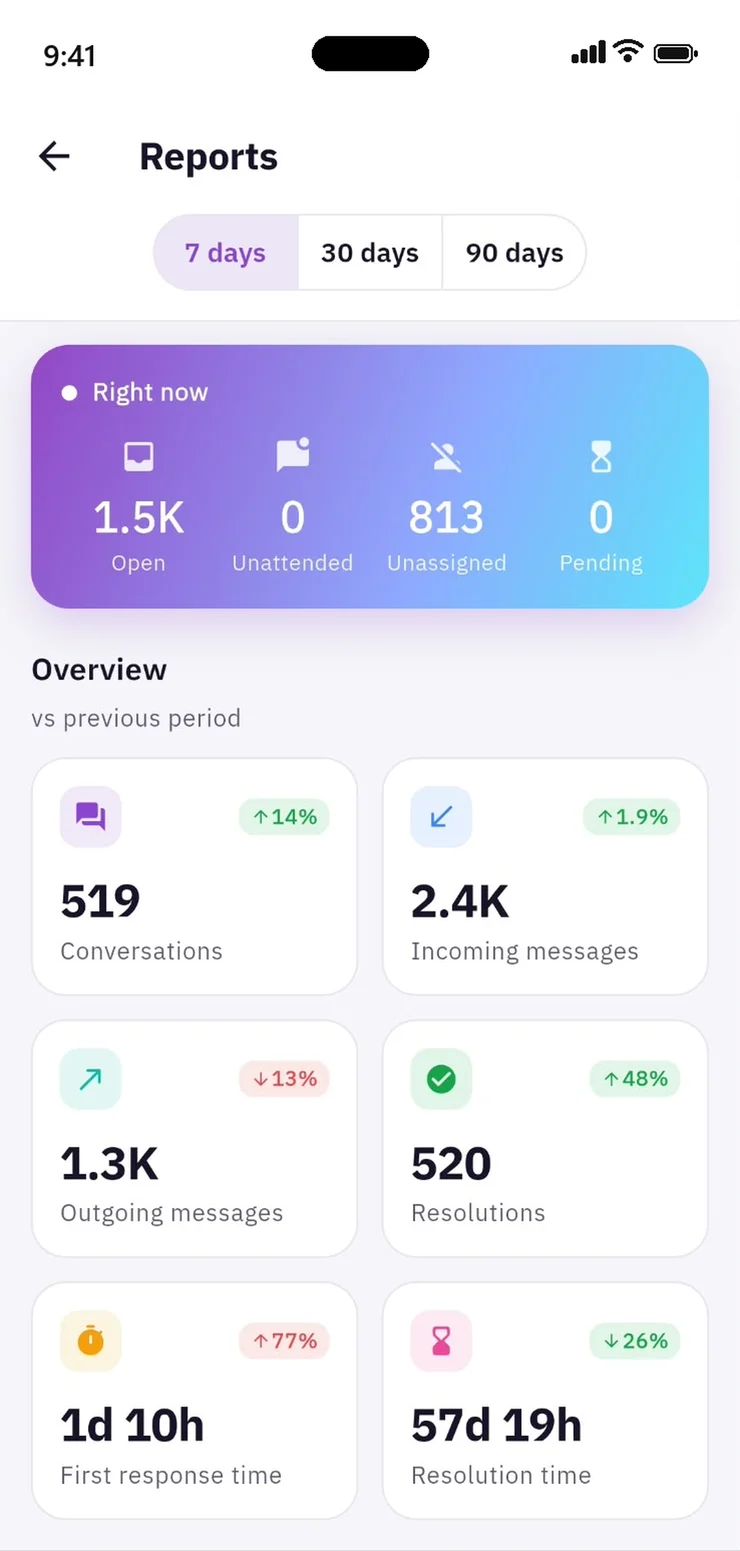
Live view of open and unassigned conversations, plus period-over-period first response time, resolution time and volume — by agent, team and channel.
- Agent, team and channel reports
- Daily trend charts
- CSV exports
Send WhatsApp campaigns from your shared inbox
Tell customers about a sale, a launch or an update on WhatsApp. Choose who gets it and when, and answer everyone who writes back with your team.
Works with the WhatsApp Business number connected to Wasel Chat. Campaign messages use WhatsApp-approved templates, and WhatsApp conversation fees apply per Meta's pricing.
WhatsApp campaigns
New campaignA campaign in three steps
01 · Audience
248 contacts selected
Daily limit1,000
Choose who gets it
Pick one or more labels — VIP customers, newsletter subscribers — and see the count before sending. Nobody gets it twice.
02 · Message
Weekend offer Approved
Customer nameMaha
Discount20%
Write once, personalise for everyone
Start from a WhatsApp-approved template; each customer's name and details are filled in, and you see it exactly as they will.
03 · Schedule
Thu, Sep 23 · 10:00 AM
Schedule campaignPick the right time
Send when it suits your customers. Change the audience, message or time until sending starts.
See who got your message and who read it
- ✓How many were delivered, read and failed
- ✓Follow the numbers live while it sends
- ✓Find out why a message didn't arrive — e.g. a number not on WhatsApp
- ✓Open any customer from the list to follow up
National Day offersExample data
Audience
248
Sent
240
97%
Delivered
218
88%
Read
164
66%
Failed
12
5%
Skipped
8
3%
Delivery breakdown 88%
Replies come straight to your team
A campaign starts conversations. When customers reply, it lands in your WhatsApp inbox, your team sees which message they're answering, and replies are assigned like any other chat.
Maha Alotaibi
National Day offers
A chat widget that looks like your brand
Design your website widget right here: change the colour, logo and texts, watch it update live, then copy the install code.
- Your colour and logo
- Arabic & English, auto RTL
- Pre-chat form
- Business hours & away message
- Dark mode
- Works on mobile
- One snippet to install
- Bot for the first reply
Brand color
#3F8CF0
Logo

Header style
Theme
Launcher position
Launcher style
Put this widget on my site
Book a demoHi there 👋
We're here to help. Ask us anything.
Rayhan Store
Typically replies in a few minutes
Powered by Wasel
Install code
<script>
  window.waselSettings = {
    "position": "right",
    "type": "standard",
    "launcherTitle": "Chat with us",
    "locale": "en",
    "darkMode": "light"
  };
  (function(d,t) {
    var BASE_URL="https://chat.wasel.sa";
    var g=d.createElement(t),s=d.getElementsByTagName(t)[0];
    g.src=BASE_URL+"/packs/js/sdk.js"; g.defer=true; g.async=true;
    s.parentNode.insertBefore(g,s);
    g.onload=function(){ window.waselSDK.run({ websiteToken: 'YOUR_WEBSITE_TOKEN', baseUrl: BASE_URL }) }
  })(document,"script");
</script>
Paste this before the </body> tag on your site. Colour, texts and logo are saved in your website inbox settings in Wasel Chat.
Every support tool in one place
Omnichannel inbox
All channels in one list
Canned responses
Type / to insert
Agent bots
First reply, then hand-off
Automations
Auto-assign and label
Contact profiles
Full history per customer
Labels
Organise chats and contacts
SLA policies
Alerts before a breach
Teams & roles
Admins, agents, teams
Full-text search
Messages and contacts
Push notifications
For the events you choose
WhatsApp campaigns
Scheduled, template-based sends
Your team replies even away from the desk
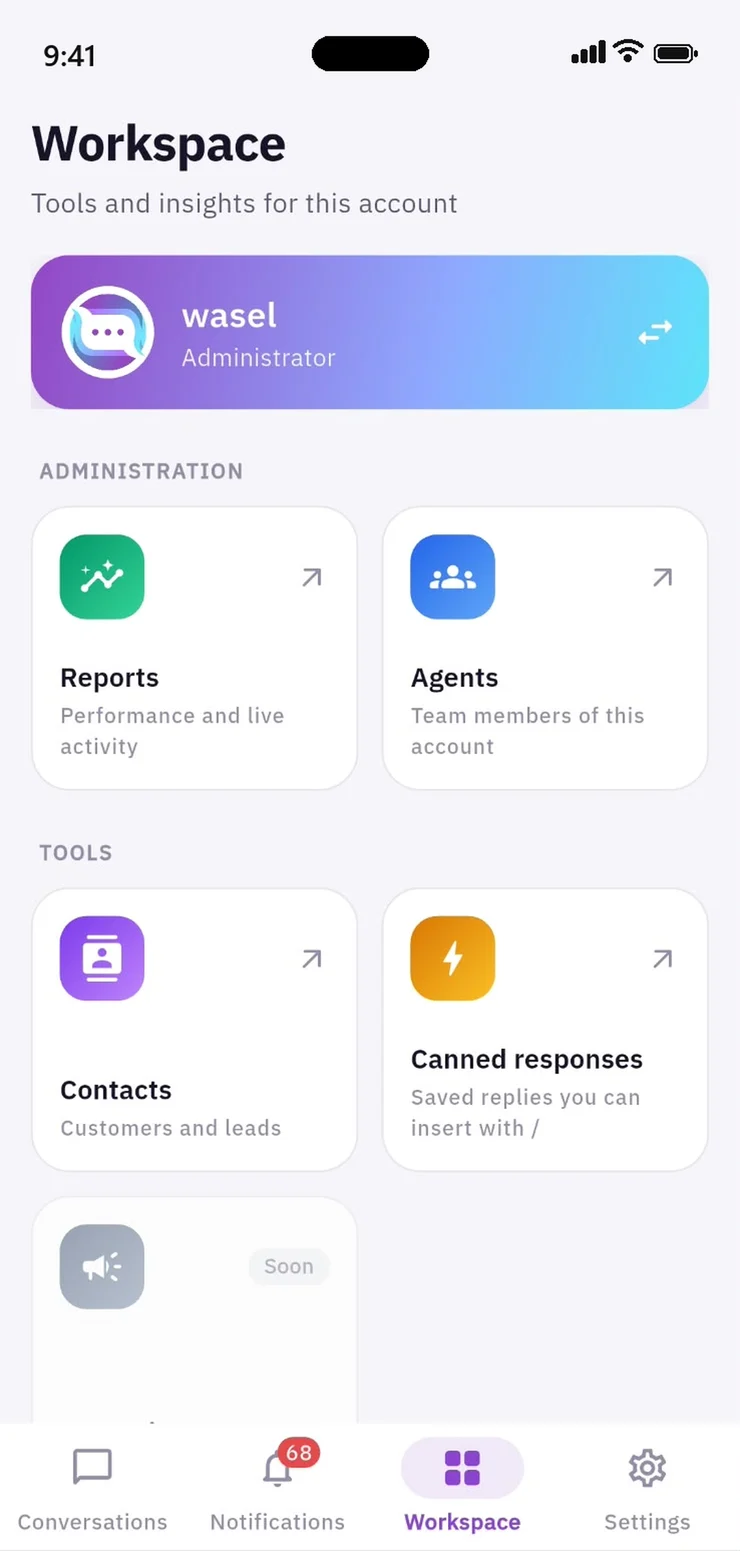
Native iOS and Android apps: voice messages, per-event push notifications, assign and resolve on the go, and instant account switching — in Arabic and English.
Conversations
Live- Noura AlqahtaninowWill my order arrive today?2
- Khalid Alotaibi3mHow much is delivery to Riyadh?1
- Sara Almutairi8mThanks, that solved it 🙏
- Mohammed Alshehri21mQuote request for 20 users
Every customer. One inbox.
- 1
Connect your channels
WhatsApp, Instagram, email and your website chat.
- 2
Invite your team
Invite agents by email and group them into teams.
- 3
Reply from anywhere
From the browser or the mobile app.
Built for how your industry talks
Pick your industry and see a real conversation from start to finish.
01 / E-commerce
Turn “where's my order?” into the next order
Answer pre-sale questions, sort out orders fast and keep shoppers loyal across WhatsApp and live chat.
- Quick order-status replies with tracking links
- Route returns to the right team
- Private notes with the shipping team
Maha Alotaibi
via WhatsApp
Wasel Chat
Starter
For small teams getting started
Request pricing
- Up to 3 agents
- Website chat + 1 channel
- Canned replies, labels, notes
- Mobile apps
- Basic reports
Growth
For busy support teams
Request pricing
- All channels
- Automation rules & macros
- First-response bot
- Teams & roles
- WhatsApp campaigns
- Full reports
Business
For multi-team companies
Request pricing
- Everything in Growth
- SLA policies & breach alerts
- Advanced bots
- Report exports
- Priority support
Enterprise
For high volume and custom needs
Request pricing
- Unlimited agents
- Custom API channels
- Custom integrations
- Account manager & onboarding
Frequently asked questions
Does it support the WhatsApp Business API?
Yes. We help you connect your number through the official WhatsApp API. Outbound messages more than 24 hours after the customer's last message need WhatsApp-approved templates.
How do WhatsApp campaigns work?
You pick the audience by label, a WhatsApp-approved template and a time. Messages go out from your number and replies land in your team's WhatsApp inbox. WhatsApp conversation fees apply per Meta's pricing.
How many agents can I add?
It depends on your plan. You can add or remove agents at any time.
Is the interface in Arabic?
Yes. The dashboard and apps are in Arabic and English with full right-to-left support.
Are there mobile apps?
Yes, on the App Store and Google Play.
Will you help us set up?
Yes. We connect your channels with you and train your team.

Ready to get started?
Tell us about your company and we'll suggest the right setup within a business day.